Product FAQ – questions and answers on the product page
See how easily customers can ask questions about a product. The store owner can quickly and easily respond to these questions, helping to clarify any doubts of potential buyers and increasing customer confidence when making purchasing decisions.
Table of contents
- Configuration
- Question editing
- Presentation of questions on the product page
- Adding a question on the product page
SOTESHOP. Product FAQ – see how to enable product questions in your store.
In the administration panel, go to Applications → Product FAQ 
Configuration
- Go to Configuration,

- Select Activate,
- Click the Save button.
Question editing
- Go to List,
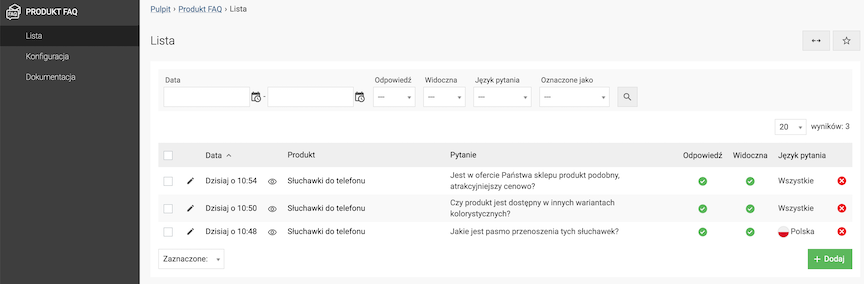
- Click the Add button or edit an existing question,
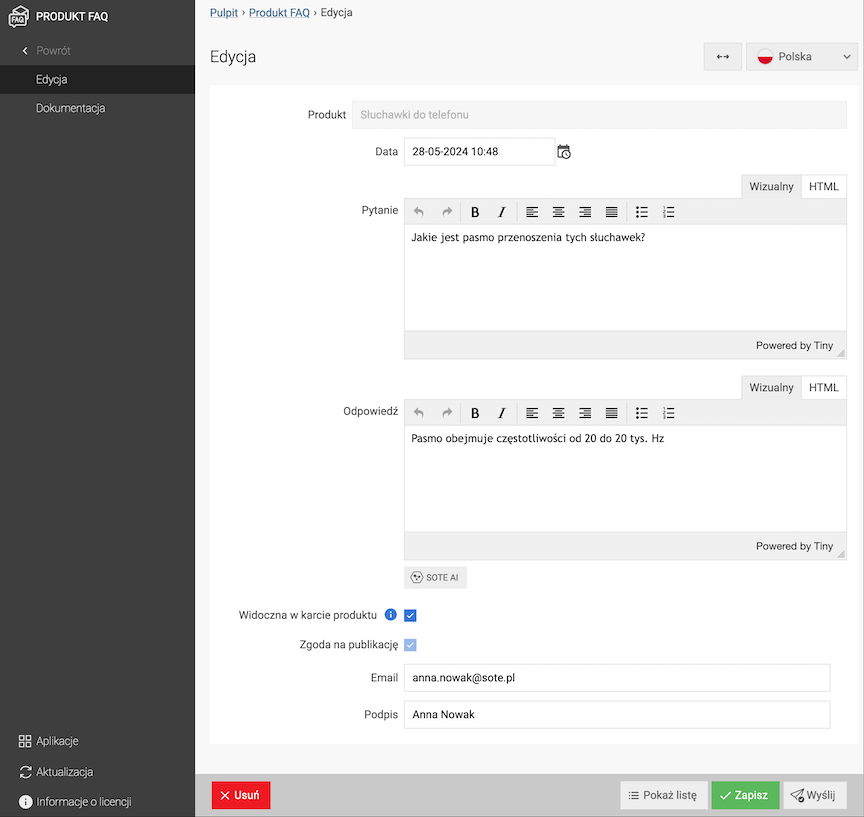
- Select Product,
- Select Date,
- Enter the Question,
- Enter the Answer,
- Select Visible on the product page,
You can enable this option only if the customer who asked the question has agreed to its publication.
- Enter Email,
- Enter Signature,
- Click the Save button,
- Click the Send button to send the response to the email address from the Email field.
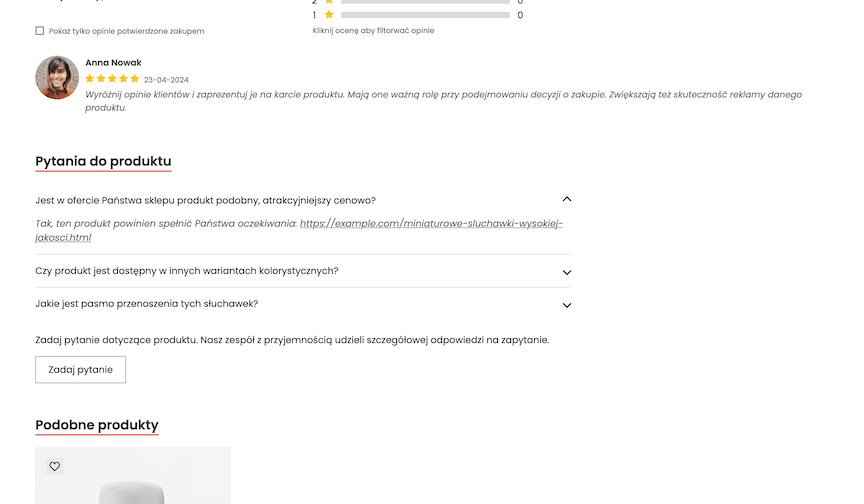
Presentation of questions on the product page
Adding a question on the product page
- Click the Ask a question button,
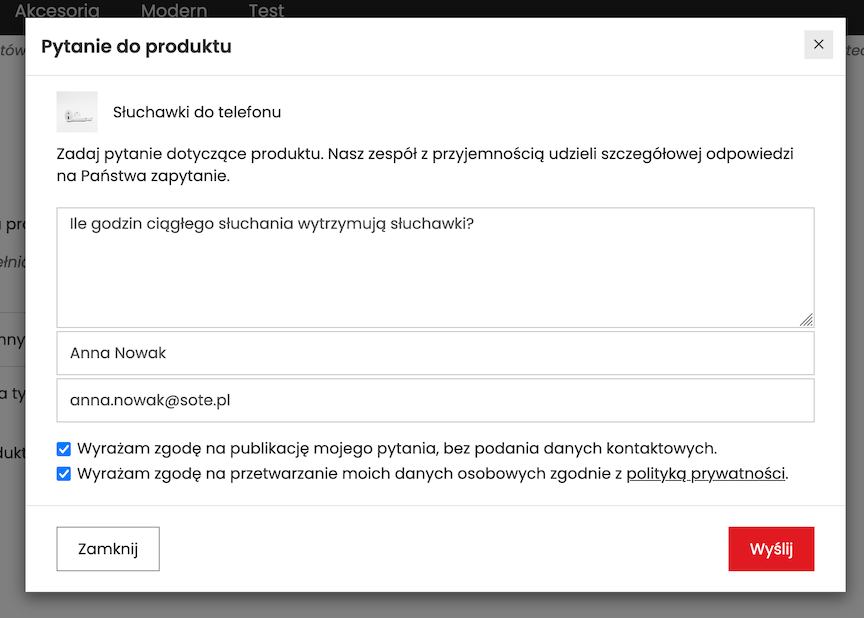
- Enter the Question content,
- Enter the Signature,
- Enter the Sender (email),
- Select consents,
- Click the Send button.
The question will appear on the product page after an answer is added and when the option Visible on the product page is selected in question editing.