Instruction to Change PHP Version to 8
Learn how to switch your SOTESHOP online store to PHP version 8.x.
Table of Contents
- Preparing the store for PHP 8
- Switching to PHP 8.x in the DirectAdmin panel (SOTE servers)
- Final information
Preparing the store for PHP 8.
Before switching your store to PHP 8, make sure it is properly prepared to work with the new environment version. The steps below will help you carry out the update safely and minimize the risk of problems occurring after changing the PHP version.
If you would like us to handle the entire PHP version upgrade process for your store:
Updating the store to the latest version.
Update your online store to the latest version by following the store update documentation. Your store is fully up to date if there are no packages available for download in the administration panel and the system reports that you are using the latest version.
If your store is running version 8.3.9 or earlier, the system may not detect the latest updates due to a change to the update system introduced in February 2026. In this case, we recommend using the store update service.
Checking your store’s compatibility with PHP 8
- Log in to your store’s administration panel.
- Go to Update → Go to update.
- Select Expert Tool.
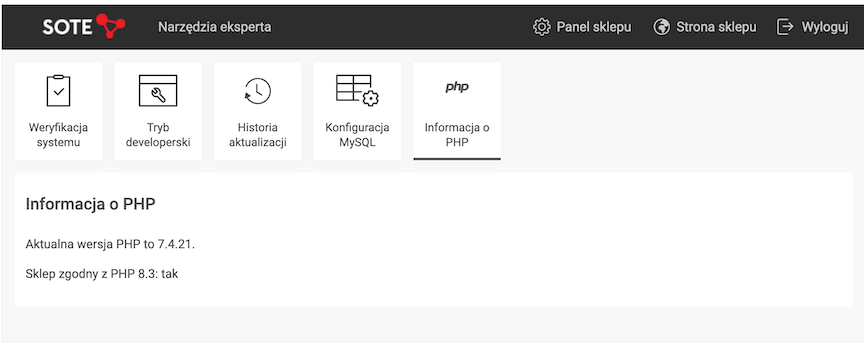
- Click PHP Information. There you will find the PHP version currently used by the store and information about whether it can be changed to PHP 8.
- If you see the message “Store compatible with PHP 8.x: yes,” proceed to step 3.
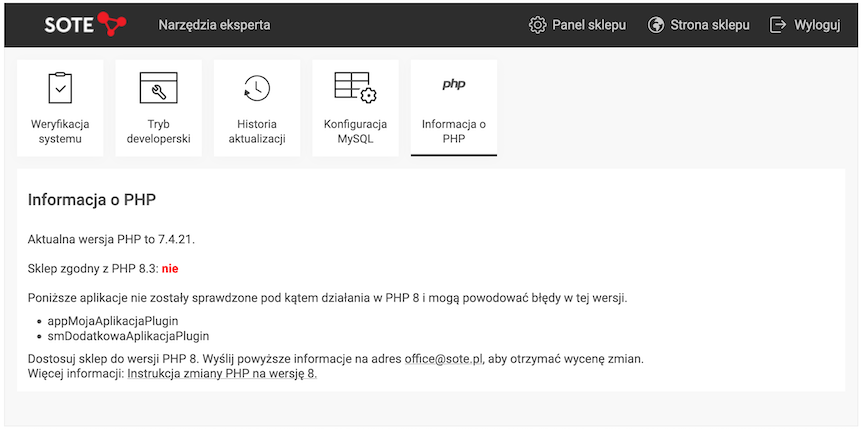
- If the store is not compatible with PHP 8, the message “Store compatible with PHP 8.x: no” will be displayed, along with a report listing the applications that need to be adapted. In this case, contact us at office@sote.pl to receive a quote for the necessary changes.
- For stores currently using PHP 7.1, the encryption of customer and transaction data is also checked. If the message “Customer and transaction data encryption: not completed” is displayed, this means that the store is also not compatible with PHP 8. In this case, go to Panel → Applications → Security and start the encryption process by clicking the “Upgrade encryption” button. You can also run this process in the background using the Task Scheduler.
Switching to PHP 8.x in the server settings
After the necessary code changes have been made, if any were required, the administration panel will display information confirming that the store can be switched to PHP 8. Changing the PHP version is handled by the hosting service and is usually available in the server service management panel.
Note: For stores with a large number of modifications, it is advisable to check whether it is possible to revert to PHP 7. If your store uses the standard version, reverting should not be necessary.
Switching to PHP 8.x in the DirectAdmin panel (SOTE servers)
Note: If the store operates under multiple domains, the PHP version must be changed separately for each domain.
Log in to the DirectAdmin service management panel.
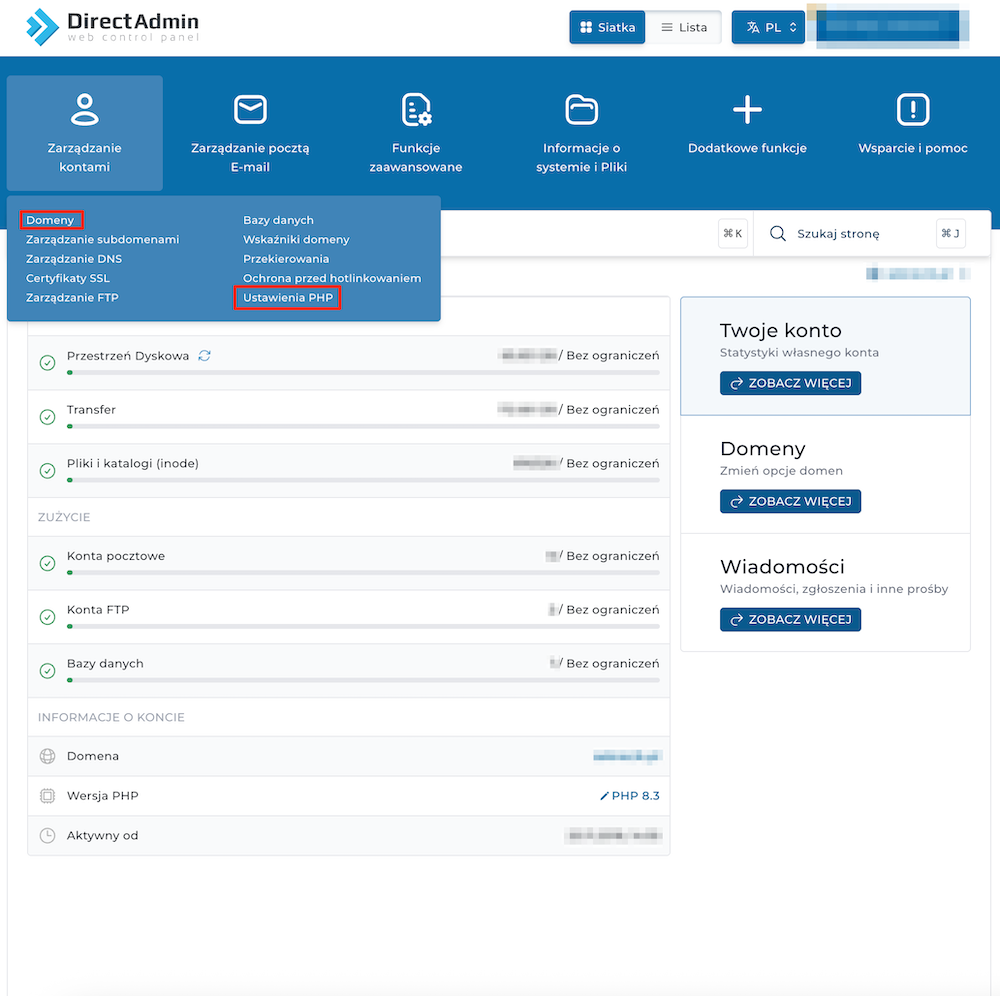
You can change the PHP version in two ways:
- using the Domains section,
- using the PHP Settings section.
Changing the PHP version in the Domains section
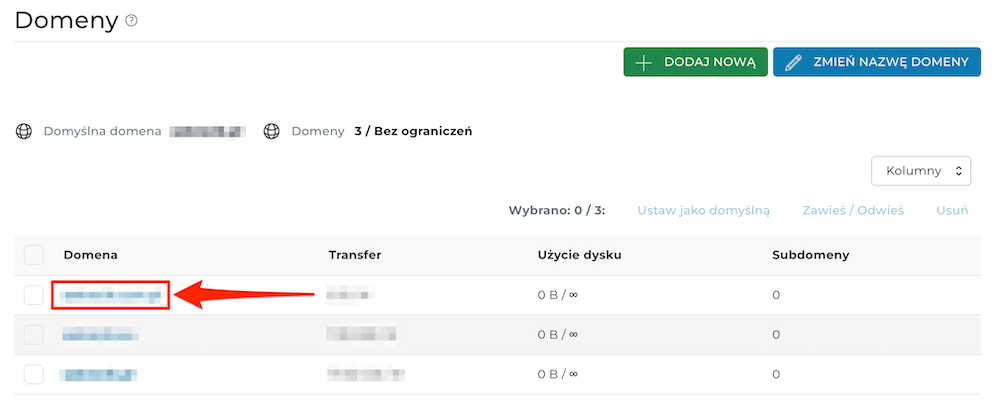
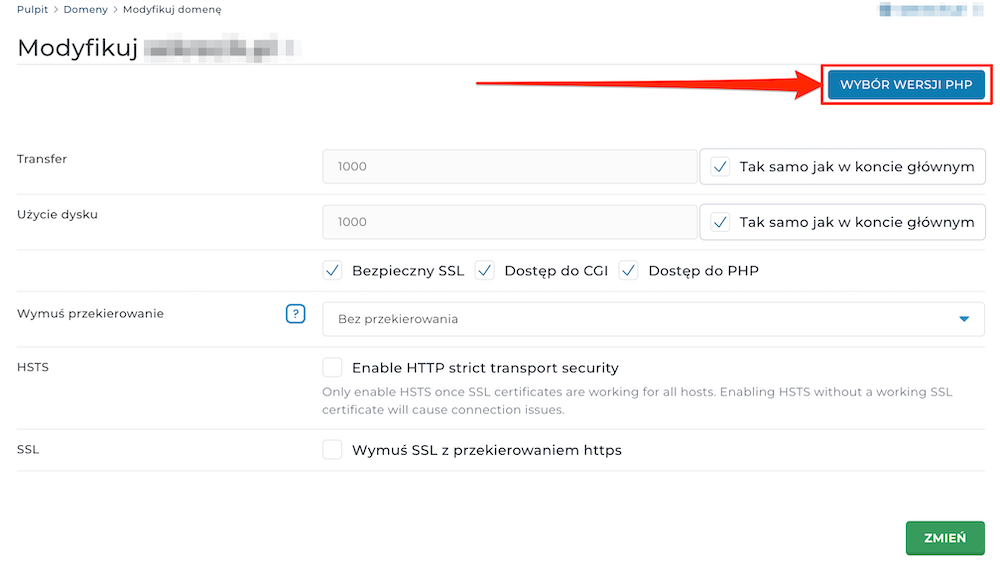
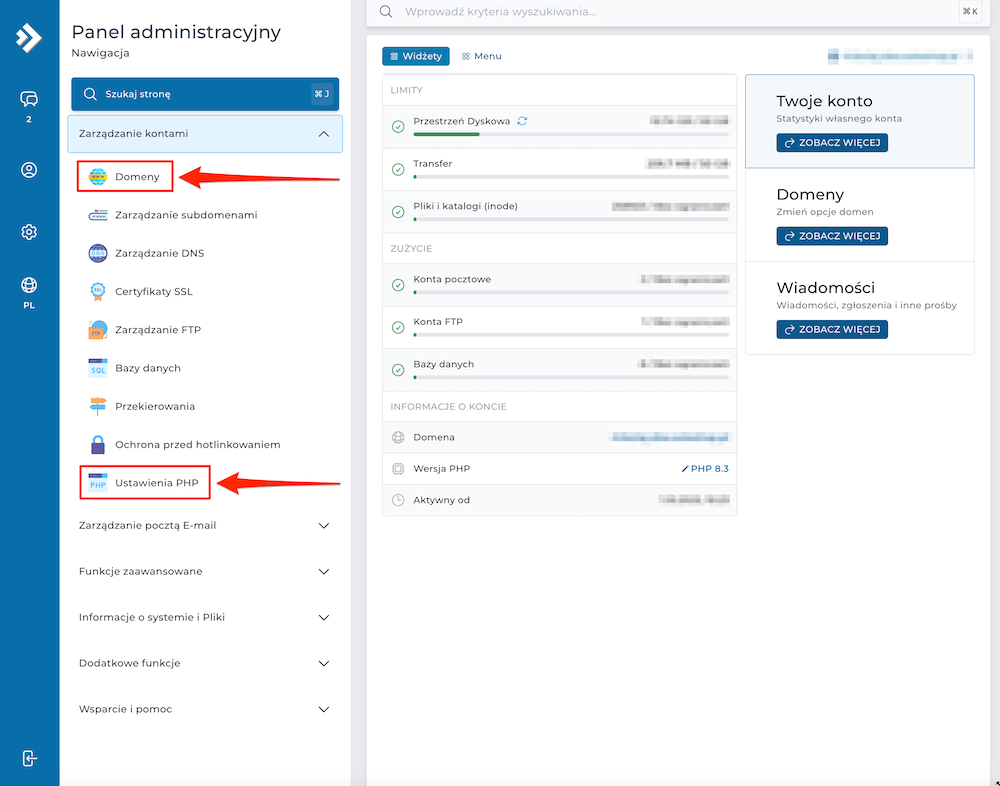
Go to Account Manager → Domains, and then follow the steps below:
- Click the name of the domain for which you want to change the PHP version.
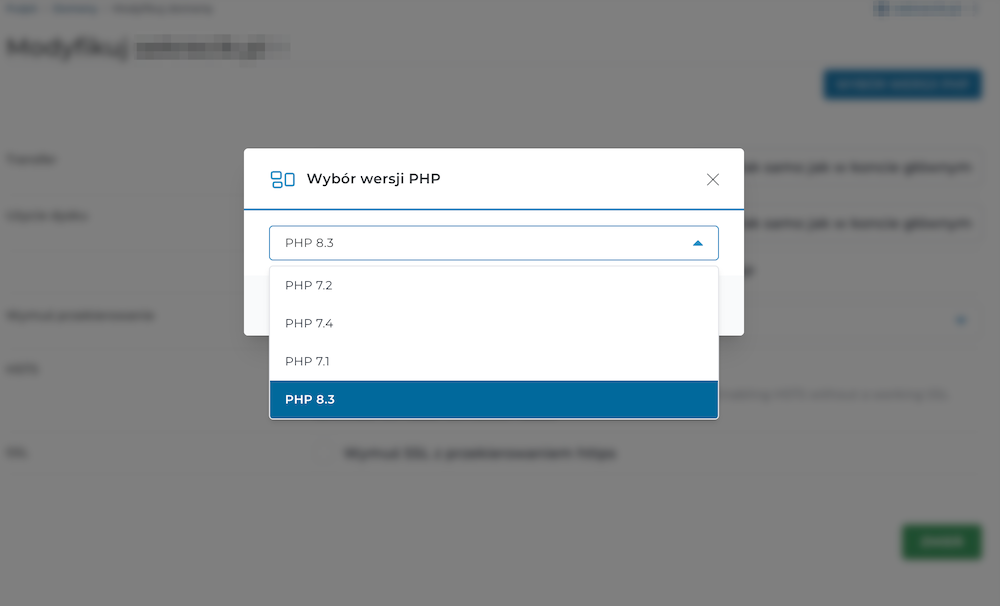
- Click PHP Version Selector.
- Select PHP 8.3 from the list of available versions.
- Click the Change button to save the settings.
Changing the PHP version in the PHP Settings section
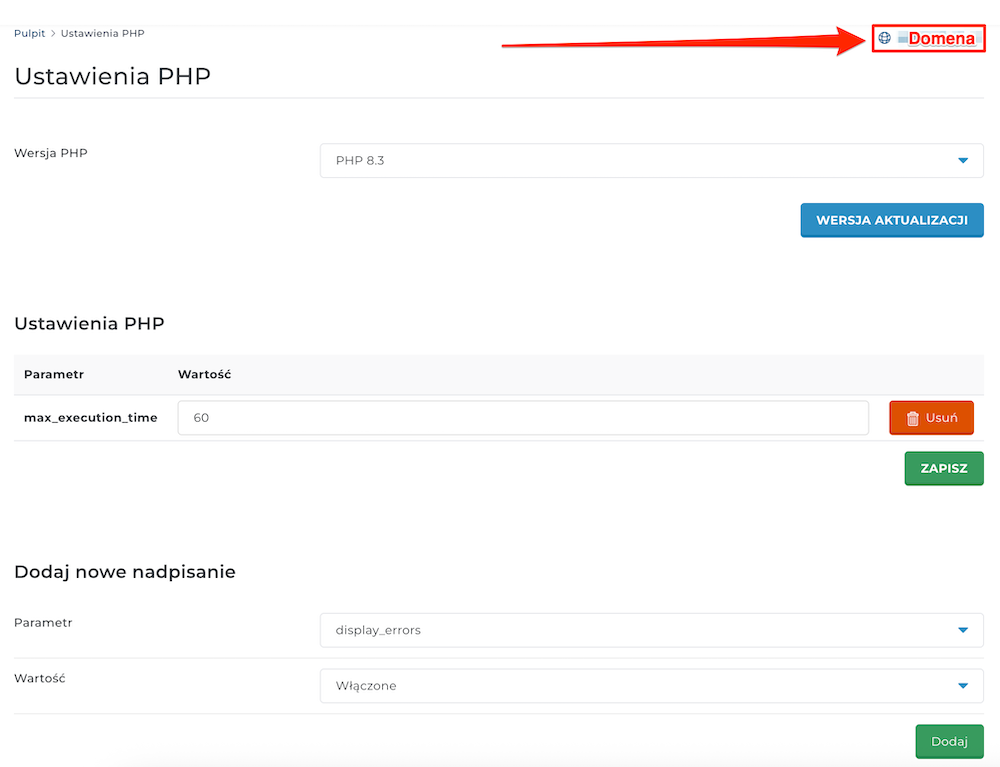
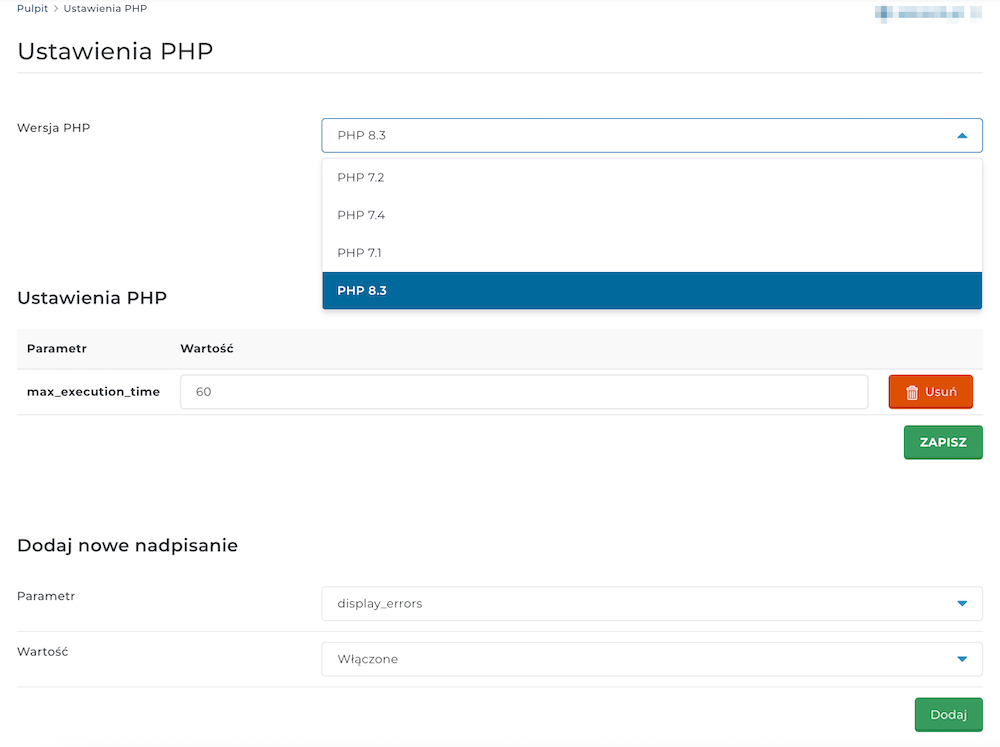
Go to Account Manager → PHP Settings, and then follow the steps below:
- Select the domain for which you want to change the PHP version.
- Select PHP 8.3 from the PHP Version list.
- Click the Update Version button.
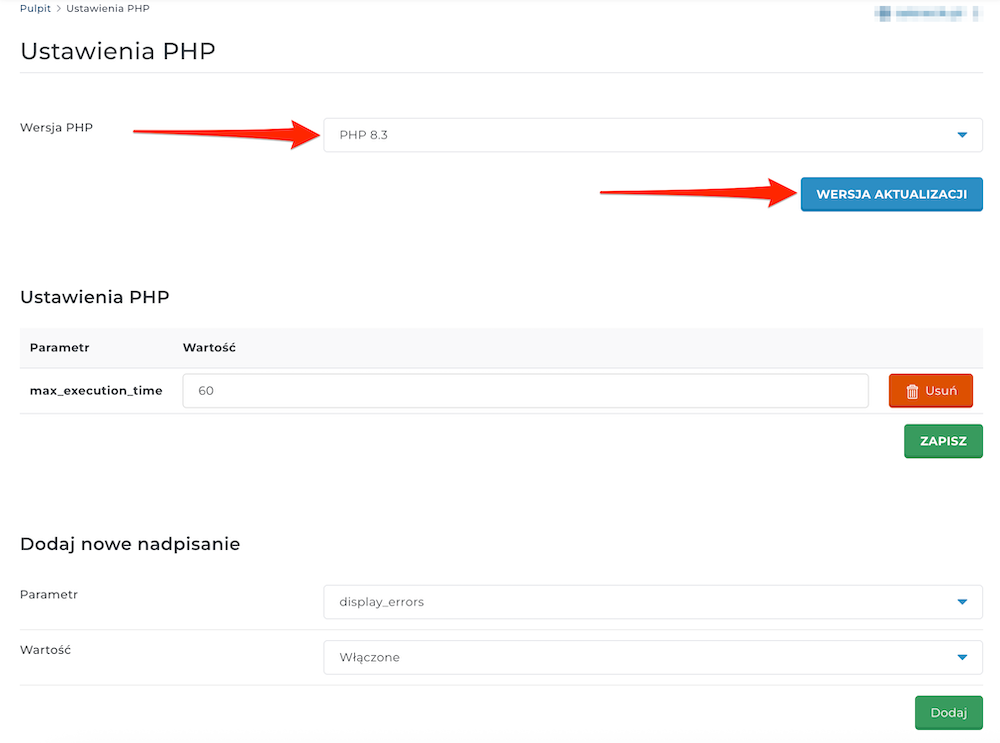
Depending on the version of the DirectAdmin panel, its interface may look slightly different from the screenshots shown above. However, this does not affect the PHP version change procedure. Follow the same steps described in the instructions above.
Final information
Switching your store to PHP 8 can improve performance and security, but it requires the code to be fully compatible with the new version.