Two-Factor Authentication (2FA) for SOTESHOP AI Store Customers
We have introduced two-factor authentication (2FA) for customer accounts in SOTESHOP AI stores. Store owners can enable this feature, giving their customers the option to add an extra layer of security to their accounts. Each customer decides whether to activate 2FA. Nothing changes for other customers. They can continue logging in to the store as usual.
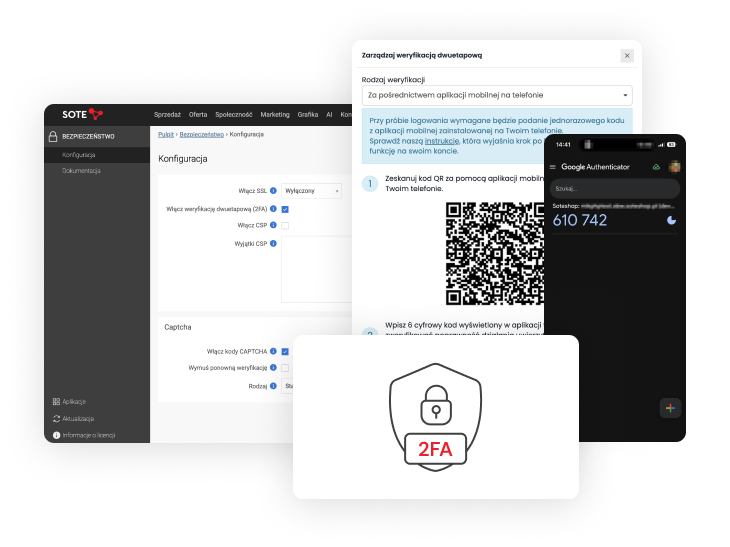
A Security Standard
Two-factor authentication adds an extra layer of protection to an account. Once activated, entering a username and password is no longer enough to complete the login process. The customer must also confirm their login with a one-time code.
2FA is now a widely adopted standard for improving the security of online accounts. Its importance is also highlighted by the Polish Personal Data Protection Office (UODO), which recommends multi-factor authentication as one of the measures for protecting access to data. UODO emphasises that MFA should be a standard implemented from the outset, rather than a solution introduced only after an incident has occurred.
2FA for Store Customers
The store owner enables 2FA support for customers under:
Admin Panel → Applications → Security → Enable two-factor authentication (2FA)
Documentation: Customers – Two-factor authentication.
Enabling this option does not automatically activate 2FA on customer accounts. It gives customers the option to use the feature.
Customers who want to add extra protection to their accounts can log in, go to the Login and security section and enable two-factor authentication themselves.
If a customer does not enable 2FA, nothing changes for them. They do not need to configure additional security or provide any new information. They can continue logging in to the store as before.
Two Authentication Methods
Customers can choose one of two available 2FA methods:
- using the Google Authenticator app,
- using a one-time code sent to the email address associated with their account.
With Google Authenticator, the customer scans the QR code displayed by the store and adds their account to the app. For subsequent logins, the app generates a 6-digit code used for additional verification.
During setup, the customer also receives one-time recovery codes that can be used to access the account if they lose access to their phone or the app.
The second method does not require installing an app. The one-time code needed to confirm the login is sent to the email address associated with the customer's account.
Customers Stay in Control
When a store owner enables 2FA support, they make an additional security feature available to customers without changing the login process for all users.
Each customer decides whether to use additional verification and which of the available methods to choose. They complete the entire setup themselves after logging in to their store account.
The administrator can check in the SOTESHOP AI admin panel whether two-factor authentication is enabled or disabled for a particular customer account.
Summary
Two-factor authentication for customers is another feature that improves the security of SOTESHOP AI stores. Store owners can make 2FA available to their customers, while each customer decides whether to activate it and chooses their preferred authentication method.
Enabling the feature does not change how other customers use the store. It gives those who want to better secure their accounts a simple way to activate additional protection.
Update
Updates are included as standard for all SOTESHOP AI 8 stores with SOTESHOP AI Start, Standard, PRO or VIP subscription services. See the store update documentation: Update documentation
Create your SOTESHOP AI online store and try it free for 14 days.
Related Pages
Recommended articles on the blog

SOTESHOP AI 8.4.3 Online Store

New EU Rules for Online Returns from June 19, 2026. Prepare Your Store for the Changes.

Do you monitor customers in your online store?